BC Parks maps
Categories:
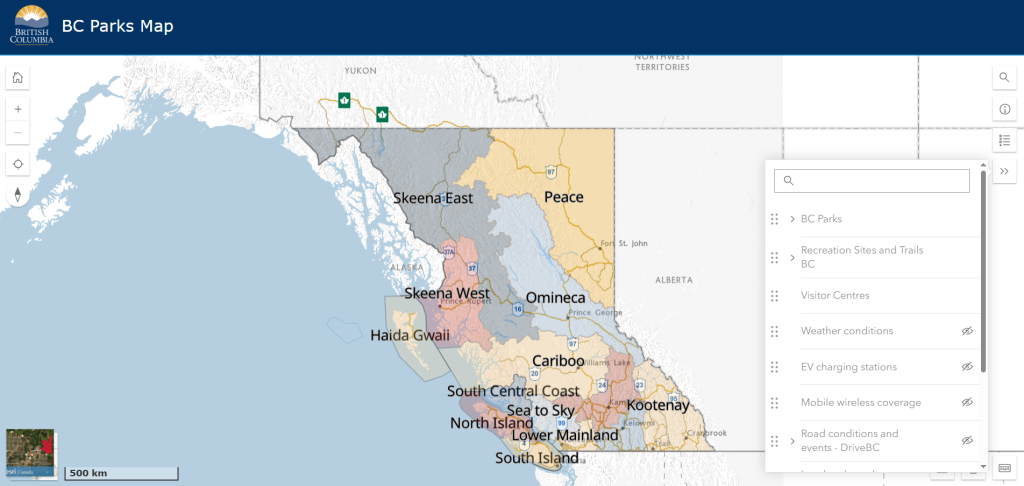
The BC Parks map is a great resource when planning a trip to BC Parks. Once you zoom in, it provides key travel information, including:
- Park boundaries and names – Quickly identify parks across BC, and ones near you!
- Park closures and alerts – Stay informed about any current advisories.
- Nearby camping, recreation, and local park options – Find places to stay and explore.
- Highway and weather conditions, road closures – Ensure safe and efficient travel.
Some of the newest features include:
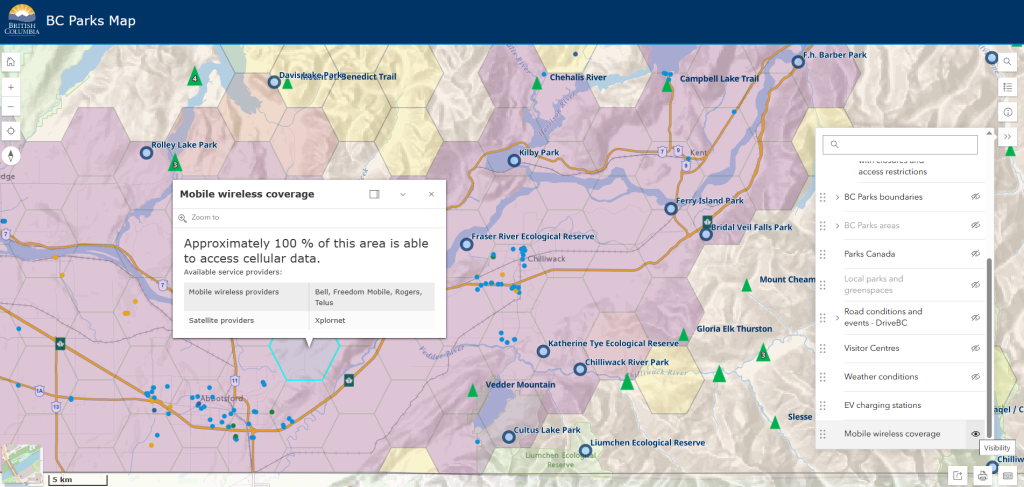
- Cell coverage maps – Know in advance whether you’ll have service at your favourite park.
- EV charging station filters – Plan your eco-friendly road trip with ease by identifying charging locations along your route.
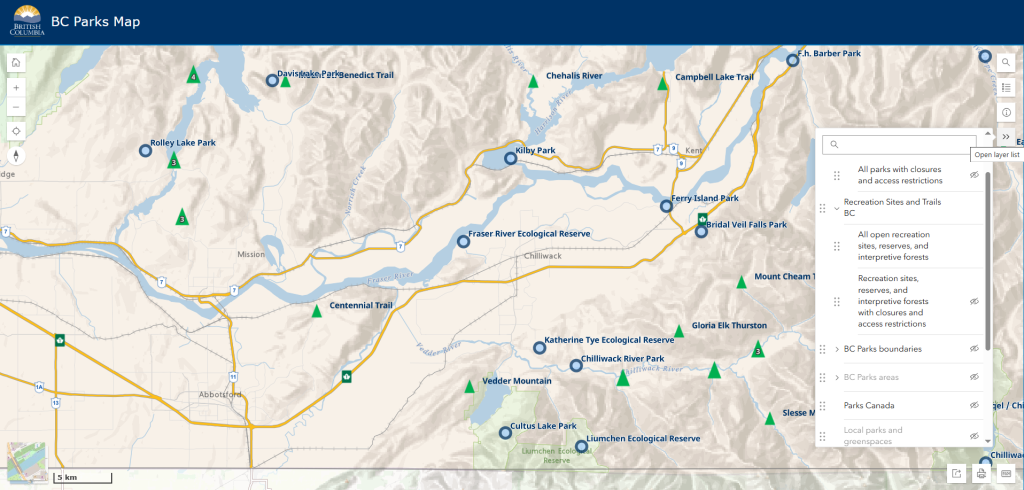
How to use the interactive map features:
The BC Parks map offers a variety of useful filters to help you plan your trip with ease.
Here’s how to access and use these features:
- Click on the ‘Open Layer List’ in the top right corner of the map.
- Toggle on the filters you’d like to see, such as cell coverage, EV charging stations, or BC parks boundaries – these will automatically populate on the map.
- Customize your view by selecting multiple layers to display the most relevant information for your trip.
The advanced map
For a more detailed and customizable mapping experience, the advanced map offers expanded data layers, real-time updates, and powerful tools to help you explore parks and surrounding areas. Whether you’re checking for closures, tracking wildfires, or planning your route, this map gives you a deeper level of information.
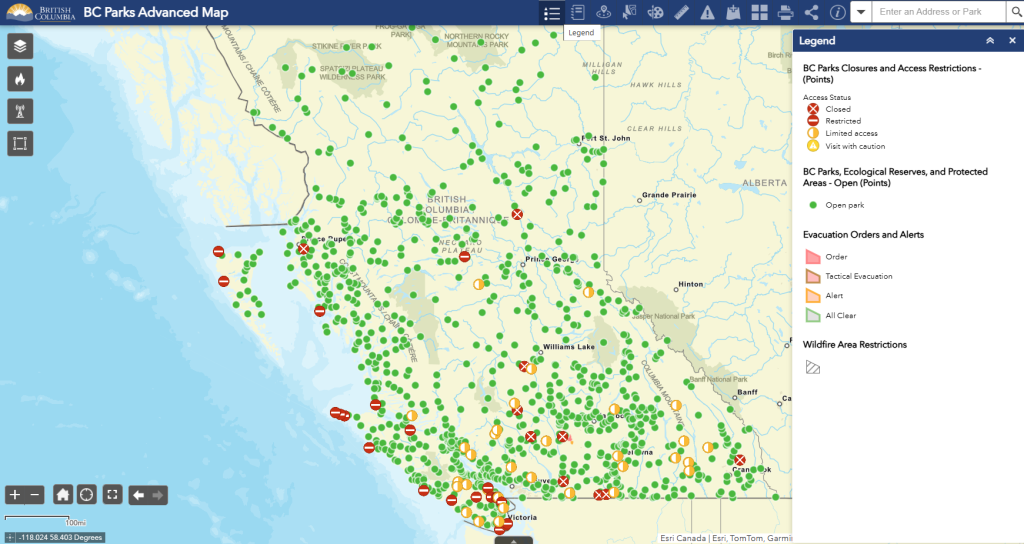
Key advanced map features:
- Parks, Recreation Sites and Trails and protected areas layers – View all BC Parks, Recreation Sites and Trails, ecological reserves, and national park boundaries, including open sites and those with closures.
- Wildfire, air quality and road conditions: Emergency and wildfire layers from BC Wildfire Service, BC Air Quality, and DriveBC.
- Boundary & regional Layers – Identify visitor centers, tourism regions, and natural resource districts for a broader perspective on BC’s natural areas.
- Mapping tools – Use features like custom map drawing, distance measurement, data export, and interactive analysis to personalize and explore the map in detail.
We hope you enjoy using these maps and the new features! We’re excited to continue enhancing these interactive tools to help you plan your next BC Parks adventure, including adding in reservation and camping option filters and exploring other filter options currently found on our ‘Find a Park’ page list filters.
If you are interested in sharing your feedback and helping us improve our digital services, please fill out this form. We may contact you to take part in design research interviews, usability testing, surveys, or other opportunities. Visit: https://bit.ly/4kL3V1e